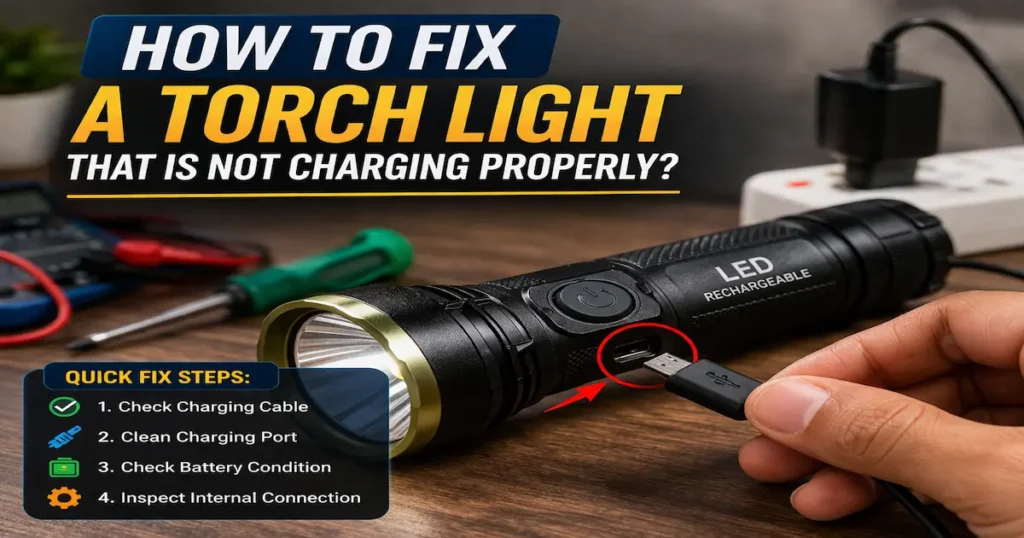
A rechargeable torch light is very useful for home, emergency, and outdoor use. But sometimes, the torch light stops charging or charges very slow.
Don’t worry, in most cases, you can fix it at home.
In this guide, I will show you simple and practical ways to fix a torch light charging problem.
Common Reasons Why Your Torch Light Is Not Charging
Before fixing, you need to understand the problem.
Main causes:
Faulty charging cable
Damaged charging port
Dead or weak battery
Loose internal connection
Dust or dirt inside port
Charger adapter problem
These are the most common torch light charging issues people face.
Check the Charging Cable and Adapter
This is the first and easiest step.
What to do:
Try another USB cable
Use a different charger adapter
Plug into another power source
Sometimes the problem is not the torch , it’s the charging cable or adapter .
Clean the Charging Port
Dust and dirt can block the charging connection.
How to clean:
Use a dry toothbrush or soft brush
Use a toothpick carefully
Do NOT use water
A dirty port is a common reason for torch light not charging properly .
Check the Battery Condition
If your torch light is old, the battery may be weak or dead.
Signs of battery problem:
Charging light turns on but no power
Battery drains very fast
Torch works only when plugged in
Solution:
Replace the battery if possible
Use the correct battery type (like 18650 or built-in battery)
Battery issue is a major cause of rechargeable torch not working .
🔧 Check for Loose Connection Inside
Sometimes internal wires become loose.
What you can do:
Gently shake the torch (if you hear sound, something is loose)
Open the torch (only if safe and simple)
Check battery connection
If you are not experienced, avoid opening it.
Test the Charging Indicator Light
Most torch lights have an LED indicator.
Observe:
No light → charging problem
Red light → charging
Green light → fully charged
If no light shows, it may be a charging circuit issue .
Try Reset or Full Recharge
Some torch lights need a reset.
Steps:
Let battery full drain
Charge for 6–8 hours continuous
Do not use during charging
This can fix minor charging bugs or battery calibration issues .
When to Repair or Replace?
You should consider repair or replacement if:
Charging port is broken
Battery is completely dead
Circuit is damage
In low-cost models, replacing the torch is often better than repair.
Pro Tips to Avoid Charging Problems
Always use a good quality charger
Do not overcharge
Keep the charging port clean
Avoid water exposure
Charge regularl (don’t keep it unused for long)
Final Thoughts
A torch light not charging is a common problem, but most of the time it is easy to fix.
Start with simple steps:
Check cable
Clean port
Test battery
Visit our Shop for Powerfull Torch light